
IPTV Multi Connection: How to Stream on Multiple Devices Without Killing Your Picture Quality
- An IPTV multi connection plan lets two or more devices stream simultaneously under one subscription — no separate accounts needed.
- Necro IPTV supports up to 5 simultaneous streams and covers Firestick, Android, iOS, Smart TVs, and MAG boxes.
- Plans start at $12.99/month for a single device; multi-device options scale up from there with no auto-renewal.
- The 25,000+ live channels and 67,000+ on-demand titles are available on every plan, regardless of how many connections you choose.
- A free trial lets you test stream stability across devices before committing to any paid tier.
- Bandwidth management matters: budget roughly 25 Mbps per 4K stream to avoid quality drops when multiple connections are active.
What an IPTV Multi Connection Actually Means
Most people discover the hard way that a single-connection IPTV subscription locks out every other screen in the house the moment someone presses play. An iptv multi connection plan solves that by assigning your account a specific number of simultaneous stream slots — two, three, four, or five — so your partner can watch a live Premier League match in the living room while you catch a documentary on your tablet and the kids stream cartoons on a Fire TV Stick, all at the same time.
Think of it as the difference between a single lane and a multi-lane highway. The content library is identical either way; what changes is how many vehicles can travel at once. With iptv multi device support built into the subscription tier, you are not sharing a single data pipe — each connection slot gets its own authenticated session on the provider's server.

One thing that trips up new subscribers: confusing "connections" with "devices registered." You can have ten devices registered to an account, but if you only paid for two connections, only two can stream simultaneously. The third device will throw an authentication error. Always buy the connection count that matches your peak household usage, not your total device count.
A quick rule of thumb — count the screens that are likely to be active during a Friday evening. That number is your minimum connection requirement. Most households land at two or three.
How Necro IPTV Structures Its Multi-Device Plans
Necro IPTV lays out its pricing in a clean grid: choose your connection count (1 through 5 devices), then choose your subscription length. Every combination unlocks the full 25,000+ live channel catalogue and the 67,000+ on-demand titles — there is no "lite" tier that hides content behind an upsell.
| Duration | Total Price | Effective Monthly Cost | Savings |
|---|---|---|---|
| 1 Month | $12.99 | $12.99/mo | — |
| 3 Months | $34.99 | ~$11.66/mo | Save 10% |
| 6 Months | $49.99 | ~$8.33/mo | Save 36% |
| 12 Months | $59.99 | ~$5.00/mo | Save 62% |
| Lifetime (1 device) | $289 one-time | $0/mo after purchase | Pay once, watch forever |
Subscriptions do not auto-renew — you manually decide when to top up. That matters for households on a budget because there are no surprise charges mid-month. The iptv lifetime tier is a one-time payment that scales with device count: $289 for one device, $416 for two, $543 for three, and so on up to five devices at $797.

The 12-month plan is the sweet spot for most families. At roughly $5.00 per month effective cost, you are paying less than a single cup of coffee to keep every screen in the house fed with 25,000+ channels.
Which Devices Work with an IPTV Multi Connection Setup
Device compatibility is where a lot of IPTV providers quietly fall short. They advertise "all devices" and then deliver a half-broken Android app and nothing else. Necro IPTV covers the hardware that people actually own:
- Amazon Firestick / Fire TV — the most popular IPTV hardware in North America; setup takes under five minutes.
- Android phones and tablets — works with any standard IPTV player app.
- iOS (iPhone and iPad) — compatible via supported player apps from the App Store.
- Smart TVs — Samsung, LG, and Sony sets are explicitly supported.
- MAG boxes — the preferred hardware for IPTV purists who want a dedicated set-top box experience.

The practical implication: your five connection slots can be spread across five completely different device types. One slot on a Firestick in the living room, one on a Samsung Smart TV in the bedroom, one on an Android phone, and so on. You are not locked into matching hardware.
One thing I learned from personal experience — if you have a MAG box and a Firestick active at the same time, double-check that both are pulling from the same M3U playlist URL or portal address. Using two different playlist sources on the same account can sometimes cause one session to drop. Keep your credentials consistent across every device and you will not hit that problem.
Bandwidth Requirements for Running Multiple Streams Simultaneously
Here is the question that separates a smooth multi-connection experience from a buffering nightmare: does your internet connection actually support simultaneous HD and 4K streams? The content quality is only as good as the pipe delivering it.
Practical bandwidth targets per stream:
- SD quality: 5–8 Mbps per stream
- HD (1080p): 10–15 Mbps per stream
- 4K / Ultra HD: 20–30 Mbps per stream
Running three simultaneous 4K streams? You need at least 75–90 Mbps of stable, dedicated bandwidth — not the peak speed your ISP advertises, but the sustained throughput you actually get during evening hours. Run a speed test at 8 p.m. on a weekday, not at 2 a.m. on a Sunday. That evening number is your real ceiling.

I made the mistake of buying a 5-device plan before upgrading my router. My ISP connection was fine, but my old 2.4 GHz router was choking at three concurrent streams. Swapping to a Wi-Fi 6 router with a dedicated 5 GHz band for the TV devices fixed it immediately. The IPTV service was never the problem — the last ten feet of my home network were.
A wired Ethernet connection for your primary TV is always the right call if you can run a cable. It eliminates Wi-Fi interference entirely and keeps that stream rock-solid even when the wireless band is busy with phones and laptops.
The Channel Library You Get Across Every Multi-Connection Plan
Does the content change based on how many connections you buy? No. Every plan — from the single-device monthly to the five-device lifetime — includes the same full library. That means 25,000+ live TV channels and 67,000+ movies and series on demand.
The channel categories break down like this:
- 🎬 Entertainment: 5,000+ channels
- ⚽ Sports: 1,500+ channels
- 📺 News: 800+ channels
- 🍿 Movies: 3,000+ channels
- 👨👩👧👦 Kids & Family: 1,200+ channels
- 🌍 Documentaries: 900+ channels
- 🎵 Music: 600+ channels
- 🌎 International: 12,000+ channels

That international category is the real differentiator. Twelve thousand international channels means households with roots in South Asia, the Middle East, Latin America, or Eastern Europe can watch home-country content in their native language without hunting down separate services. One subscription covers the whole family's viewing habits, regardless of where everyone's from.
Want to browse the full catalogue before buying? The iptv lifetime free trial gives you access to the complete channel list with no commitment. Explore it on your actual devices and confirm the channels you care about are there before spending a cent.
Setting Up Your IPTV Multi Connection the Right Way
Setup is where people overcomplicate things. The core process is the same regardless of device type: you receive credentials after purchase, open your IPTV player app, enter those credentials, and start watching. But a few configuration decisions make the difference between a stable long-term setup and one that needs constant troubleshooting.
Player App Selection
Use a dedicated IPTV player rather than a generic video app. On Firestick, IPTV Smarters Pro and TiviMate are the two most reliable options. On Android, the same applies. On iOS, look for apps that support M3U playlist imports. On MAG boxes, the built-in portal system works directly — no third-party app needed.
Playlist vs. Portal Entry
Most providers give you either an M3U URL or a portal URL plus MAC address. Know which type your credentials are before you start. Entering M3U credentials into a portal field (or vice versa) is the number-one cause of "invalid credentials" errors that are not actually credential problems.

EPG (Electronic Programme Guide)
Enable the EPG feed your provider supplies. Without it, you get a channel list with no schedule information — workable, but annoying. With it, you can browse what's on, set reminders, and navigate 25,000 channels without scrolling blindly. The EPG URL is usually included in your welcome email alongside your M3U link.
For more configuration tips and device-specific walkthroughs, the iptv multi device blog covers setup guides for every major platform. If you hit a wall during installation, the iptv multi device help center has step-by-step support available around the clock.
Comparing Single-Connection vs. Multi-Connection Plans: When to Upgrade
A single connection plan is perfectly fine if you live alone or if your household genuinely watches one screen at a time. At $12.99/month, it is one of the most cost-efficient ways to access a library of 25,000+ channels. The question is whether that single slot creates conflict in practice.

Signs you need to upgrade to a multi-connection plan:
- Someone in your house regularly gets kicked off a stream when another device starts playing.
- You have kids who watch independently of the adults.
- You travel and want to stream on your laptop or phone while your family continues watching at home.
- You run a small venue — a sports bar, a barbershop — where two or more screens need to pull different channels simultaneously.
The upgrade cost is modest. Moving from a one-device to a two-device plan on a 12-month subscription adds a fraction of what a second streaming service would cost. And unlike stacking two separate IPTV accounts, a multi-connection plan keeps everything under one login, one support ticket history, and one renewal date.
For a full breakdown of every tier, iptv lifetime and monthly options are all listed on the subscription packages page with exact pricing and no hidden fees.
Getting the Most Out of Your IPTV Multi Connection Long-Term
Buying the right plan is step one. Keeping the experience smooth over months and years is the part nobody talks about enough.
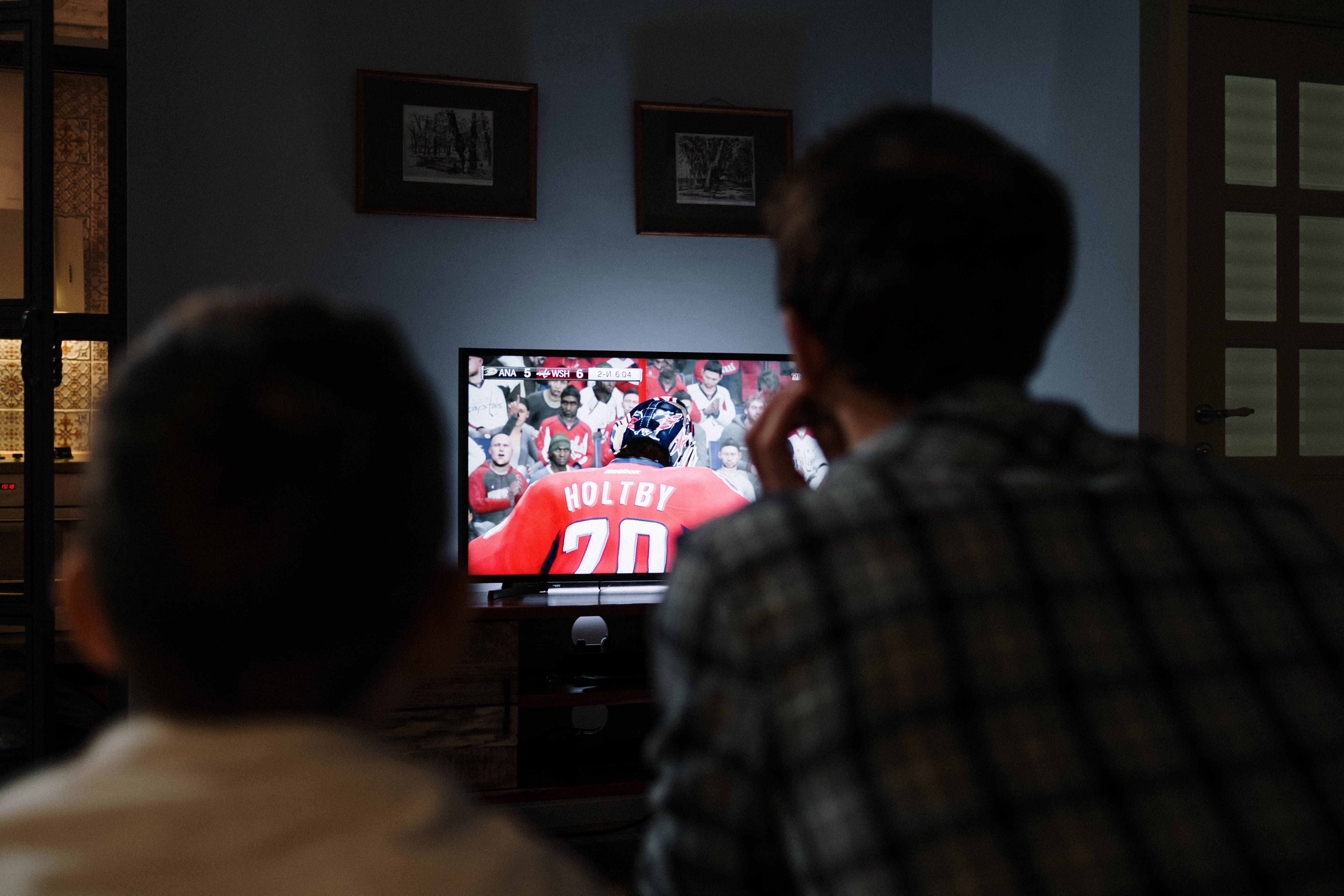
A few habits that make a real difference:
- Restart your IPTV app weekly. Player apps accumulate cache that can slow channel switching and cause occasional freezes. A weekly restart costs thirty seconds and prevents most minor issues.
- Keep your app updated. IPTV player apps push updates that fix server compatibility issues. Skipping updates for months is the fastest way to create problems that look like provider-side bugs but are actually client-side.
- Use a VPN selectively. A VPN can help in regions with aggressive ISP throttling of streaming traffic. Run it on devices where you notice throttling, not necessarily on every device — it adds latency, and if your connection is already clean, you do not need it.
- Stagger 4K streams if your bandwidth is borderline. If you are right at the edge of your bandwidth ceiling, have one screen drop to 1080p during peak household usage. Most people cannot tell the difference on a screen smaller than 55 inches anyway.
The 24/7 support that comes with every necro iptv plan is genuinely useful for long-term subscribers. When a channel goes down or a server maintenance window causes a brief outage, support can tell you the estimated resolution time instead of leaving you guessing. That matters when you have a household of people asking why the TV isn't working.
One last thing: take advantage of the free trial before you commit to a multi-year or lifetime plan. Test your specific devices, your specific internet connection, and the specific channels your household watches most. The iptv multi connection experience is only as good as the combination of provider, your home network, and your hardware — and a trial lets you validate all three before any money changes hands.
Frequently Asked Questions
How many devices can stream simultaneously on a Necro IPTV plan?
Necro IPTV supports up to 5 simultaneous connections. You choose your connection count when you purchase — options run from 1 device up to 5 devices. All devices registered to the account can access the service, but only the number of connections you purchased can stream at the same time.
Does buying more connections change the channel count or content quality?
No. Every plan, regardless of connection count, includes the full 25,000+ live TV channels, 67,000+ on-demand titles, and HD/4K streaming quality. The only variable between plans is how many simultaneous streams are permitted.
What happens if a third person tries to stream when I only have a two-connection plan?
The third device will receive an authentication error and will not be able to start a stream until one of the active sessions ends. The fix is either to upgrade to a three-connection plan or to coordinate viewing times within your household.
Can I use different devices on my multi-connection plan — for example, a Firestick and a Smart TV at the same time?
Yes. Each connection slot is device-agnostic. You can run a Firestick, an Android phone, a Samsung Smart TV, and an iOS device simultaneously under one multi-connection account, as long as you have enough connection slots for the number of active streams.
Is there a free trial available before committing to a paid multi-device plan?
Yes. Necro IPTV offers a free trial that gives access to the full channel lineup and on-demand library. It is the best way to verify that your specific devices, network, and preferred channels all work correctly before purchasing a paid subscription.
Do multi-connection subscriptions auto-renew?
No. Necro IPTV subscriptions do not auto-renew. You manually renew when your current period expires, which means no surprise charges. The lifetime plan is a one-time payment with no renewals required at all — the price scales by device count starting at $289 for one device.
Necro IPTV Pricing
Pick a plan and start streaming today
25,000+ live channels · 60,000+ movies & series · HD & 4K · Works on every device.
Choose number of simultaneous devices
All prices in USD · No auto-renewal · 24/7 support
Want to pay once? See lifetime plans →Related Articles

Multi Device IPTV: Stream Every Screen in Your House Without Compromise
Multi device IPTV made simple: Necro IPTV streams 25,000+ channels in HD and 4K from $12.99/mo on every screen at once. Start with a free trial before you buy.
12 min read
Multi Device IPTV Service: Stream Every Screen in Your Home Without Compromise
Multi device IPTV service explained: how Necro IPTV streams 25,000+ channels to every screen at once, what each plan costs, and how to start a free trial today.
10 min read
Multi Device IPTV Subscription: Everything You Need to Stream on Every Screen
A multi device IPTV subscription lets your whole household stream 25,000+ channels in HD and 4K at once. See how Necro IPTV does it with plans from $12.99/mo.
11 min read
IPTV Multi Device: Stream Every Screen in Your Home at Once
Multi device IPTV made simple: Necro IPTV delivers 25,000+ live channels to every screen in HD and 4K. Plans from $12.99/mo, plus a free trial before you buy.
13 min read