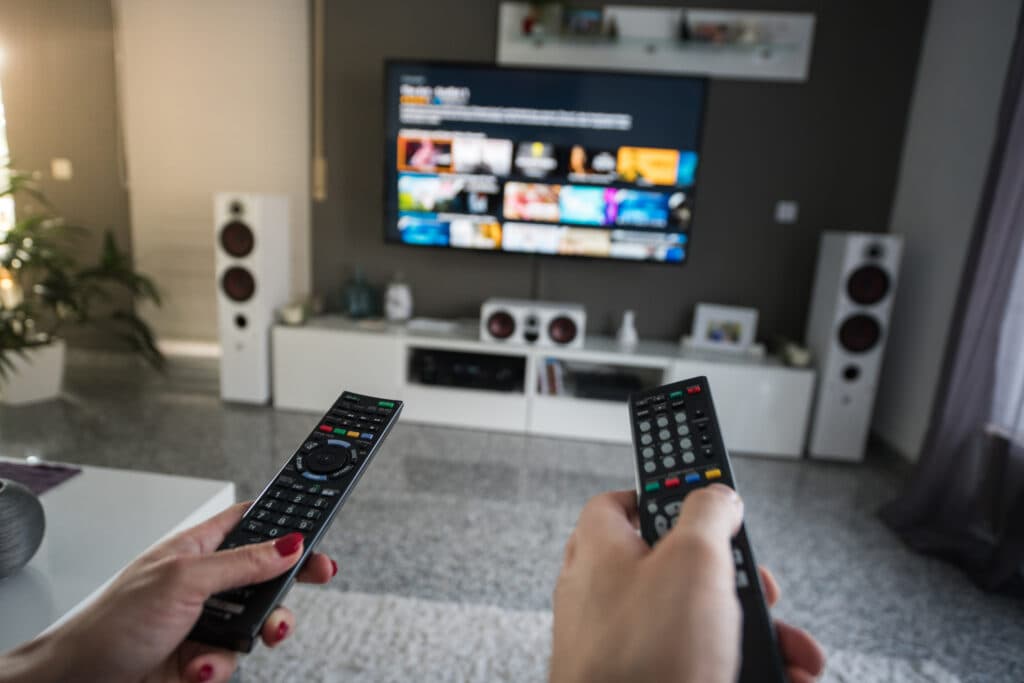
What Necro TV actually gives you
Necro TV is the everyday name for Necro IPTV: one set of credentials that opens 25,000+ live channels and a library of 60,000+ films and series, delivered over your existing internet connection instead of a dish or a cable box. There is no hardware to rent and nothing proprietary to buy — the login works in whichever compatible player you prefer.
Every plan carries the same library. The only variable is how many screens can watch at the same time, which is why the pricing below is organised by screens rather than by content tiers. If you want the full line-up before deciding, the channel list breaks it down country by country, and our guide to the 25,000-channel line-up explains how the categories are organised.
Necro TV versus a stack of streaming apps
The honest comparison is not IPTV against one streaming service — it is IPTV against the four or five subscriptions most households have quietly accumulated.
| What you care about | Necro TV | Typical app stack |
|---|---|---|
| Live sport and news | Included across regions | Usually a separate paid add-on |
| Monthly cost | From $12.99 for one screen | $60–$90 once stacked |
| Simultaneous screens | 1–5, chosen up front | Varies per service, often 2 |
| Auto-renewal | None — plans simply expire | Default on almost everywhere |
| International channels | Core of the product | Rarely offered at all |
What Necro TV costs
Pick the number of screens first, then the length. Longer plans cost less per month, and nothing renews on its own. Full terms and every tier side by side sit on the subscription packages page.
It pays for itself against the 12-month plan in roughly 5 years — the full maths is on the lifetime plans page.
How many screens do you actually need?
Count the screens that would realistically be running at the same moment, not the number of devices in the house. A family of four rarely watches four different things simultaneously; two screens covers most evenings, three removes the argument entirely.
Going over the limit does not incur a charge — the extra stream simply will not start. If you are unsure, start at two and upgrade later. The multi-device plans page lays out how the tiers scale, and this walkthrough of running several connections covers the household maths in more depth.

Which app suits your device
There is no official Necro TV app and that is deliberate — the service uses the open Xtream Codes and M3U standards, so you keep your choice of player.
| Device | What to install | Worth knowing |
|---|---|---|
| Amazon Firestick / Fire TV | Any Xtream Codes player from the Amazon store | The most common setup. Sideloading is not required. |
| Android TV box & Google TV | Xtream Codes or M3U player from Google Play | Best value per screen if you are buying hardware. |
| Samsung & LG Smart TV | Built-in IPTV player app | No extra box needed on recent models. |
| iPhone, iPad & Mac | Any App Store IPTV player | Same credentials as every other device. |
| Windows & Linux PC | VLC or a desktop IPTV player | Handy for testing a line before setting up the TV. |
| MAG box | Native portal | Supported, though app-based devices are easier to move. |
Setting up on a Firestick for sport is the single most common request we get — the Firestick sports guide covers it end to end. If you are buying hardware for several rooms at once, the multi-device setup guide is the better starting point.
The connection speed it takes
Buffering is almost always bandwidth, not the service. These are per-stream figures — multiply by the number of screens running at once.
| Quality | Per stream | Where it applies |
|---|---|---|
| SD | 5 Mbps | Older channels and low-bandwidth feeds. |
| HD (1080p) | 10 Mbps | The realistic default for most channels. |
| 4K / UHD | 25 Mbps | Premium sport and film feeds. |
A wired connection beats Wi-Fi for the main television every time. If a single channel stutters while the rest are fine, that is a feed issue rather than your line — report it to support and it gets repaired.
Getting started in four steps
- Choose your screen count and plan length above, and complete checkout.
- Your credentials arrive by email, usually within a few minutes.
- Install any Xtream Codes compatible player on your device and sign in.
- Test the channels you actually care about on day one — the refund window is 24 hours, so a proper first-day check matters.
Necro TV questions people actually ask
- Is Necro TV the same thing as Necro IPTV?
- Yes. Necro TV is simply how most subscribers refer to the service day to day — the product, the logins and the apps are all Necro IPTV. There is one account type and one channel library behind both names.
- How many screens can watch Necro TV at the same time?
- Between one and five, depending on the plan you pick. The number of simultaneous screens is the only thing that changes between tiers — every plan carries the same 25,000+ live channels and 60,000+ on-demand titles.
- What internet speed does Necro TV need?
- Around 10 Mbps per stream for reliable HD and 25 Mbps per stream for 4K. Multiply that by the number of screens you plan to run at once: a three-screen household watching HD wants roughly 30 Mbps of headroom, not 10.
- Which app should I use for Necro TV?
- Any Xtream Codes or M3U compatible player works. On Firestick and Android TV most people use a dedicated IPTV player; on iPhone, iPad and Mac the choice is narrower but the same credentials apply. You are not locked to one app — the same login works across all of them.
- Does a Necro TV subscription renew automatically?
- No. Nothing auto-renews and no card is stored for future billing. When a plan runs out it simply stops, and you renew manually if you want to continue.
- Can I move Necro TV to a different device later?
- Yes. The subscription is tied to your credentials, not to a particular box or TV. Signing in on a new device works immediately, as long as you are not exceeding the simultaneous-screen count on your plan.
- What happens if a channel stops working?
- Report it to support with the channel name. Line-ups shift as broadcasters change their feeds, and channels are repaired or replaced rather than silently dropped. Support runs 24/7.
- Is there a refund if Necro TV does not suit me?
- There is a 24-hour refund window on new subscriptions, subject to the conditions set out on the refund page. The short version: test it properly on day one rather than a month later.
Go deeper
Guides that answer the follow-up questions this page raises.
- Necro IPTV in 2026: channels, pricing and setup
- Is a lifetime IPTV plan worth it?
- What makes a channel line-up premium
- Running IPTV across a whole household
- Choosing a multi-device IPTV plan
- What Reddit says about Necro IPTV
- Finding a genuinely cheap lifetime deal
- Necro IPTV for Canadian viewers
- Norwegian and Nordic channels
- Die deutsche Senderliste
- How the VOD categories work
- All Necro IPTV guides